


This article explains how to perform a Conflict Search in Unity® Accounting.
The Conflict Search feature is used to search client/matter and opposing party information for possible conflicts of interest.
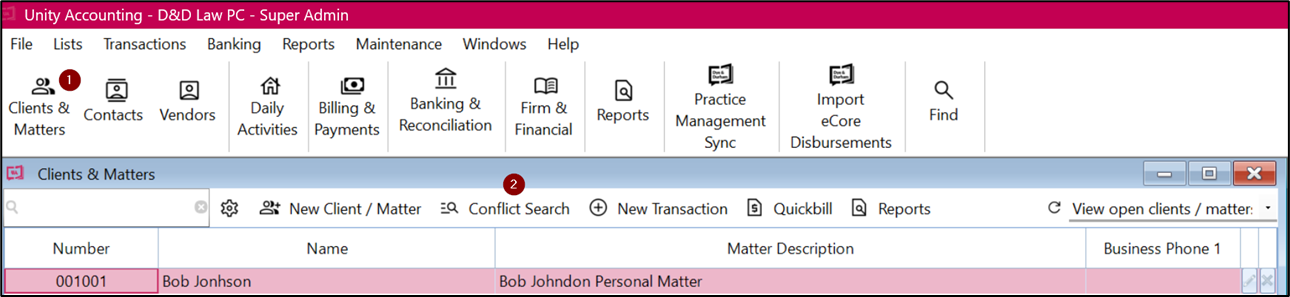
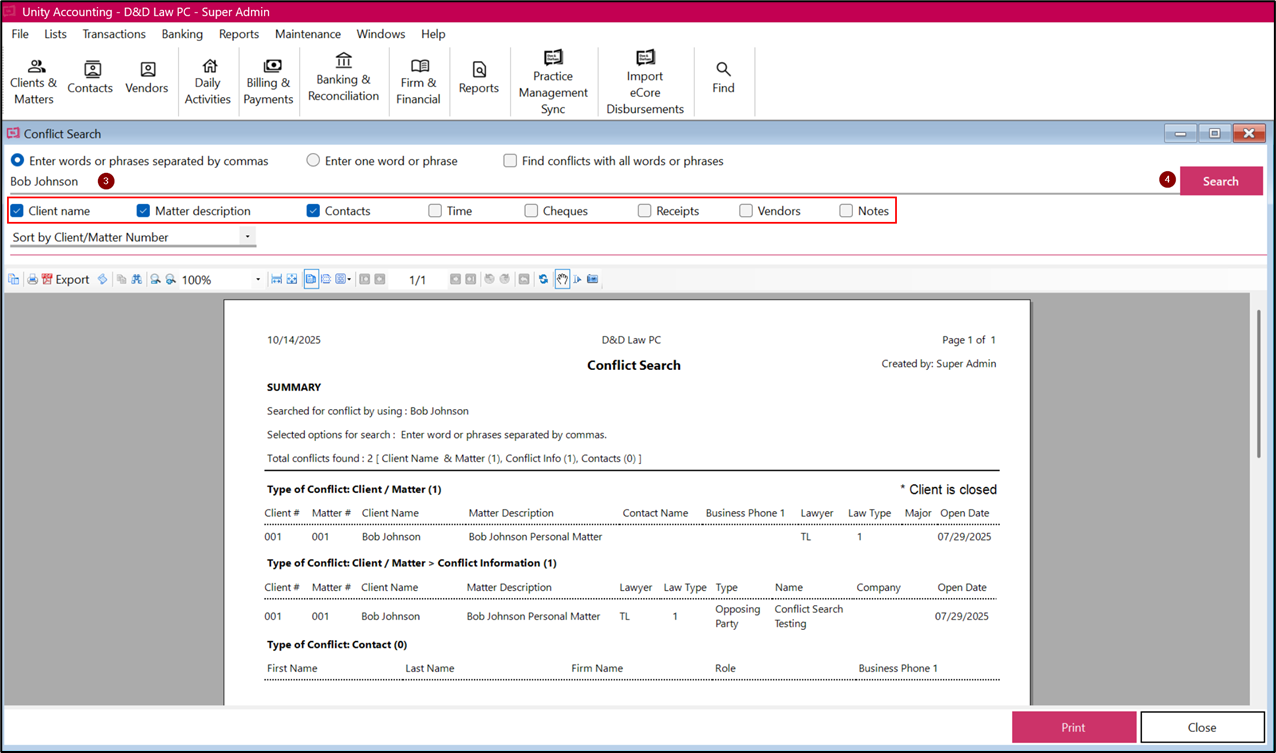
To perform a Conflict Search:
1. Click on Clients & Matters
2. Click on Conflict Search button
3. Type in a keyword or phrase to be searched
4. Click Search
|
By default, the software will search:
- Client Name (name fields in the client and conflict databases, and client/matter notes).
- Matter description (matter descriptions in the client and conflict databases, and client/matter notes).
- Contacts (first name, last name and company name in the Contacts database, and contact notes. Contacts designated Private are not searched).
Additionally, the following can be searched:
- Time (description fields of time entries for open and closed clients/matters).
- Cheques (description fields of check entries for open and closed clients/matters).
- Receipts (description fields of receipt entries for open and closed clients/matters).
- Vendors (vendor name fields in Vendors).